AI Overview #
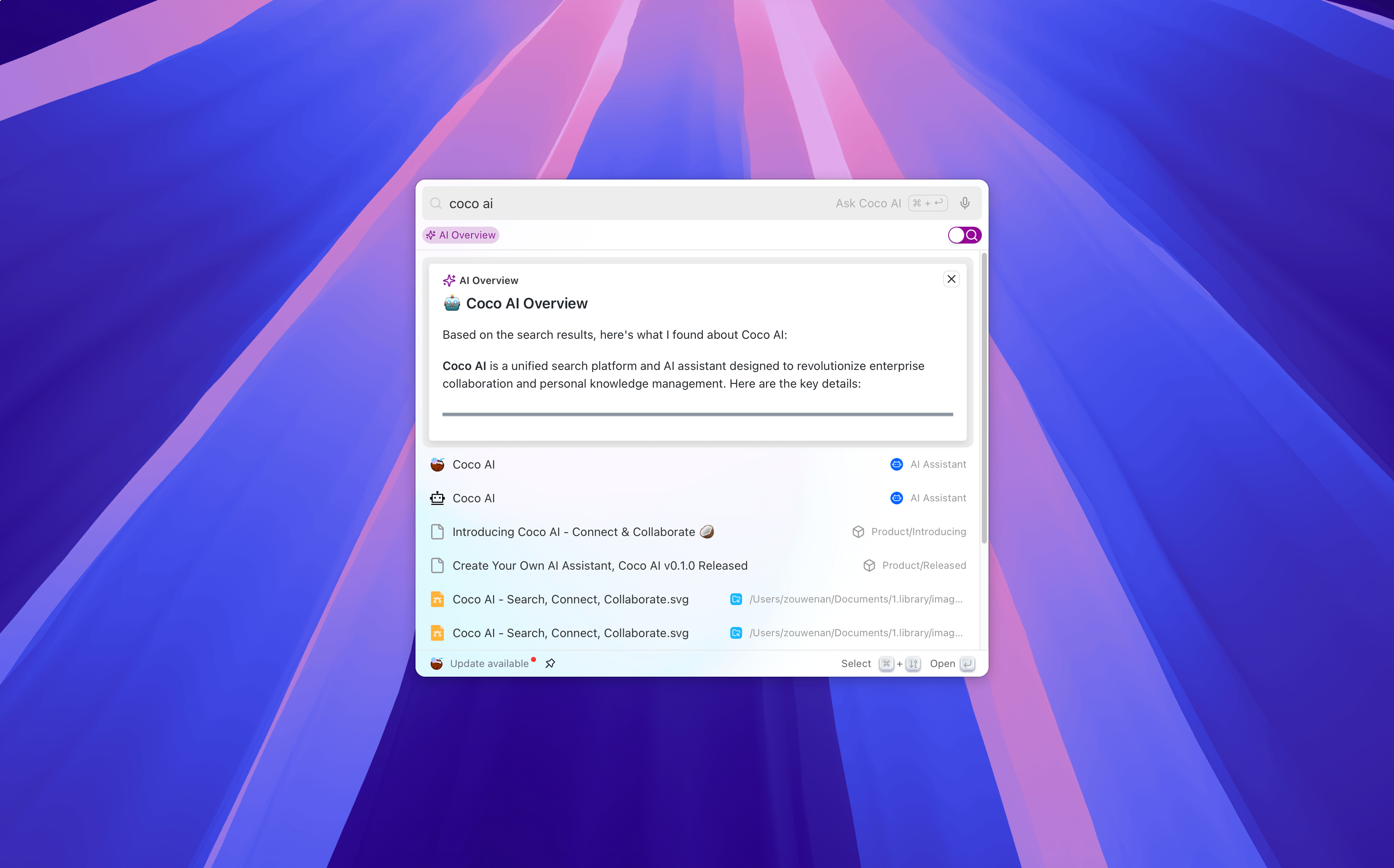
The AI Overview feature can automatically refine and summarize current search results in search mode, helping users quickly grasp the key points of the search results without having to browse each individual result. This feature is particularly useful in scenarios where information needs to be extracted quickly.
Feature Overview #
Automatic Refinement and Summary: When a user performs a search, AI Overview automatically generates a concise summary based on the current search results, providing key information from the results.
Improve Work Efficiency: By avoiding the need to manually browse through numerous results, AI Overview helps users quickly focus on the most relevant information, saving time.
Enabling AI Overview #
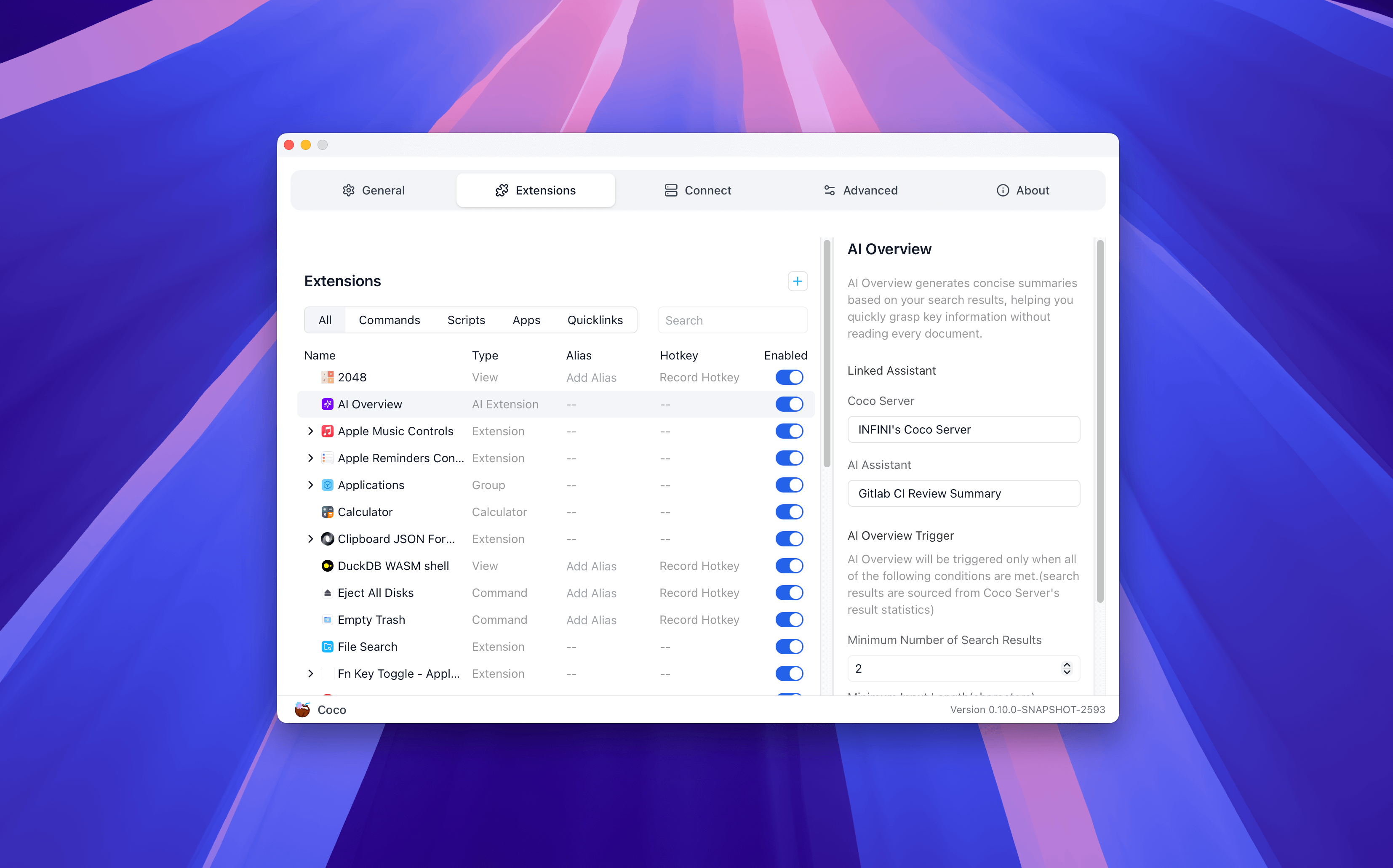
To use the AI Overview feature, you need to configure it in the settings:
Open the Settings page and select the Extensions option.
In the AI Overview Extension configuration, choose an AI assistant that you want to use for summarization.
Configure the trigger strategy:
- Minimum number of search results: Set the minimum number of search results required to trigger AI Overview.
- Minimum input length: Set the minimum length of the input query; the summary function will only start when the input content is long enough.
- Delay after typing stops: Set the time delay after input stops to start the summary function, avoiding unnecessary summaries triggered by frequent input.
After saving the settings, in search mode, press
Meta + Oto enable the AI Overview feature, and AI Overview will automatically generate summaries for the search results according to your configuration.
💡 Tip: The style and depth of the summary depend on the AI assistant you choose.
Think of it as an “information assistant”; the role you assign to it determines its reporting style:
“Summary Abstract” assistant: Provides quick, general summaries.
“Technical Expert” assistant: May generate summaries that focus more on technical specifications and code snippets.
“Market Analyst” assistant: Will pay more attention to market data, competitive dynamics, etc.
💡 Tip: For faster response speed
If you pursue ultimate response speed, it is recommended to configure an assistant using a fast token-generation, non-inference type model for the AI Overview feature. Such models can quickly generate summaries for you, making information acquisition smooth.