File Search #
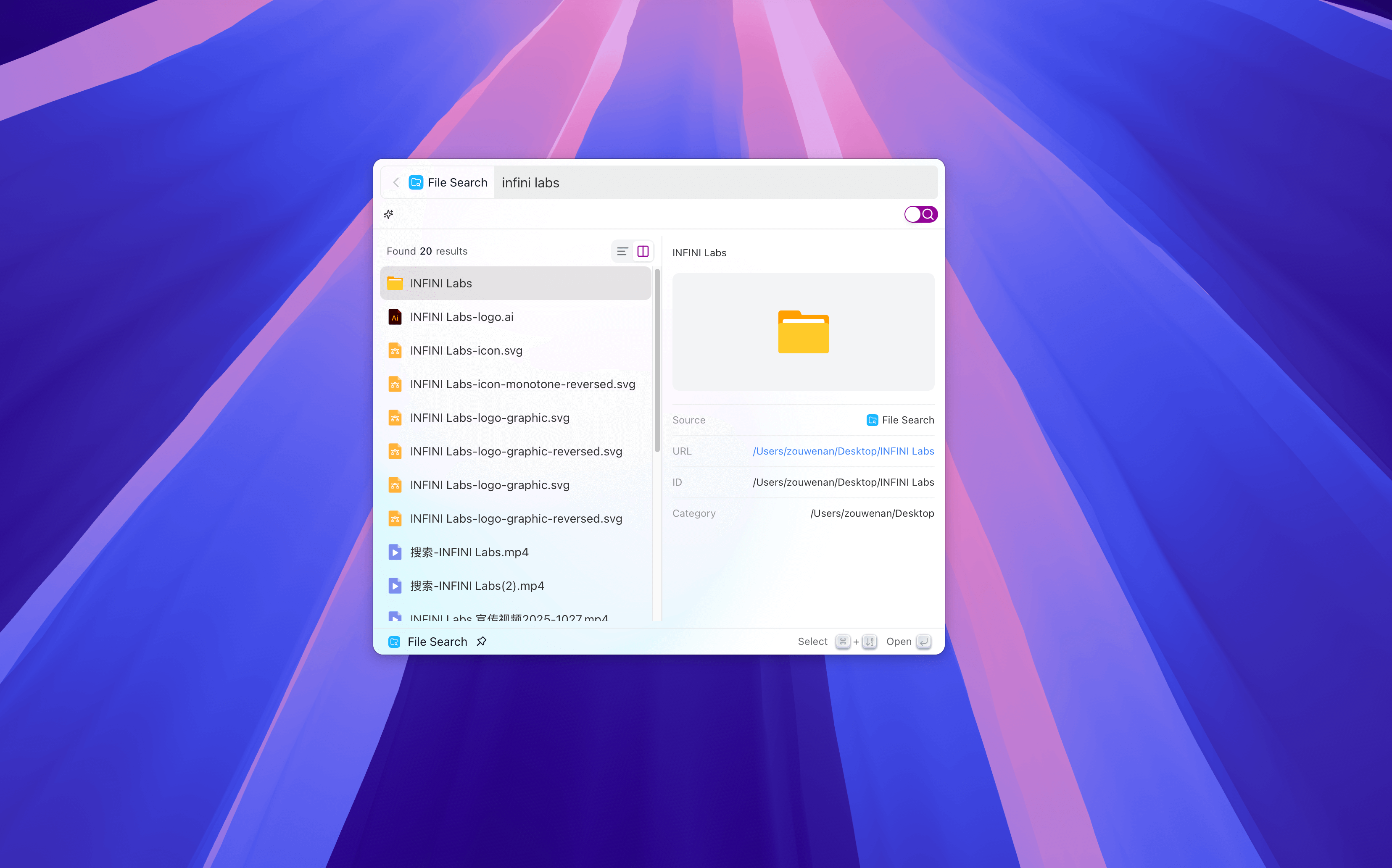
The File Search feature allows you to directly use the system’s local search capability in Coco AI to quickly find files on your computer. You can flexibly set the search scope, excluded directories, file types, and search methods to get more accurate results.
Feature Overview #
- System-level search integration: Coco AI leverages the file indexing capabilities provided by the operating system (such as macOS Spotlight, Windows Search, etc.) to achieve efficient local file search.
- Flexible search control: Supports custom search scopes and excluded paths, and can filter file types according to needs.
- Content-level search: On supported systems, you can choose to search file contents at the same time, not just file names.
Feature Settings #
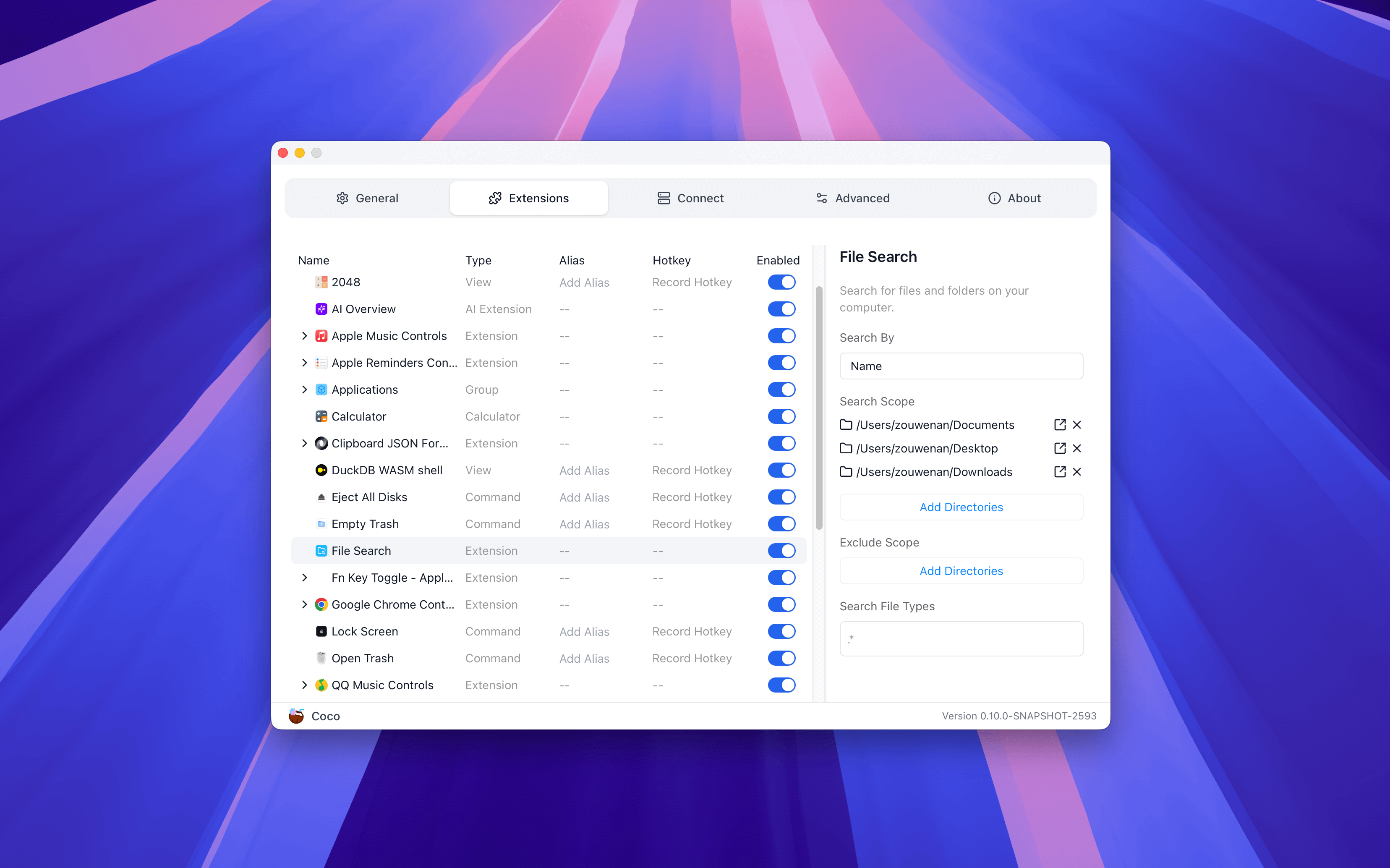
Coco AI is already equipped with local file search capabilities. You don’t need any additional operations; you can start typing keywords in the search box to experience it immediately. If you want to exclude certain folders or add new search locations, you can manage your preferences at any time through “Settings → Extensions → File Search”.
Search By Select the matching method for the search:
- Name: Only match file names (faster).
- Name + Contents: Match both file names and file contents (depending on operating system support).
Search Scope Select the folders or disk locations to be included in the search.
- For example:
/Users/username/DocumentsorD:\Projects
- For example:
Exclude Scope Specify paths that are not included in the search, used to reduce irrelevant results or improve search speed.
- For example:
node_modules,tmp,Libraryand other system cache directories.
- For example:
Search File Types Limit the file extensions or types to be searched.
- For example:
.pdf,.docx,.md,.txt
- For example:
💡 Tips: System Support Differences
- macOS: Implements mixed search of file names and contents through Spotlight, supporting fast response and fuzzy matching.
- Windows: Relies on the system’s Windows Search Indexer, supporting file name search; content search requires enabling content indexing for corresponding file types in system index settings.
- Linux: Generally only supports file name search, depending on the distribution and configuration.