Gateway Management #
Gateway management can quickly and easily help us manage multiple gateway instances.
Gateway list #
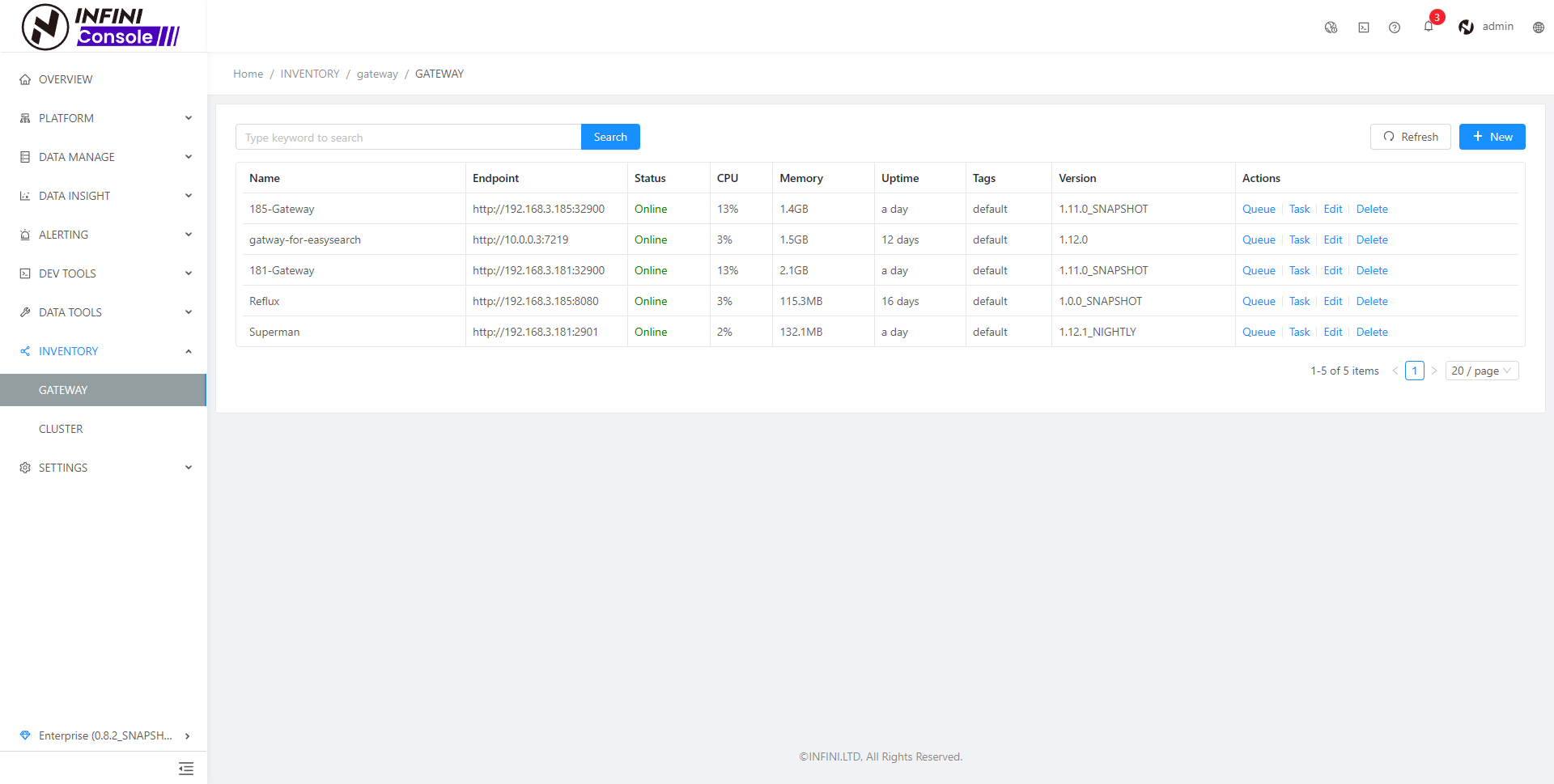
The created gateway can be queried in the gateway list
Gateway registration #
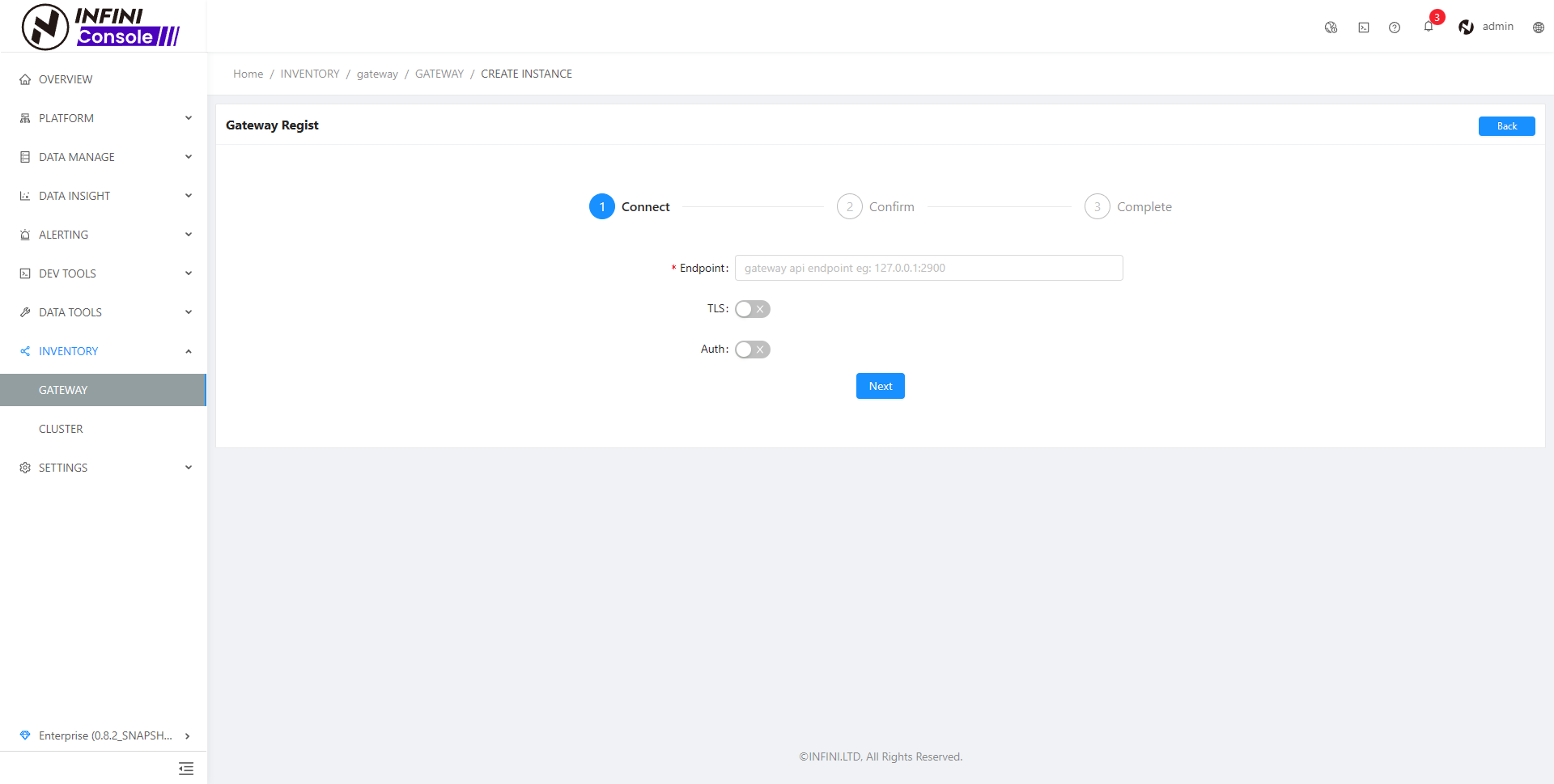
The first step is to fill in the gateway address, and enable TLS and authentication as needed (you need to input a user name and password after enabling authentication).
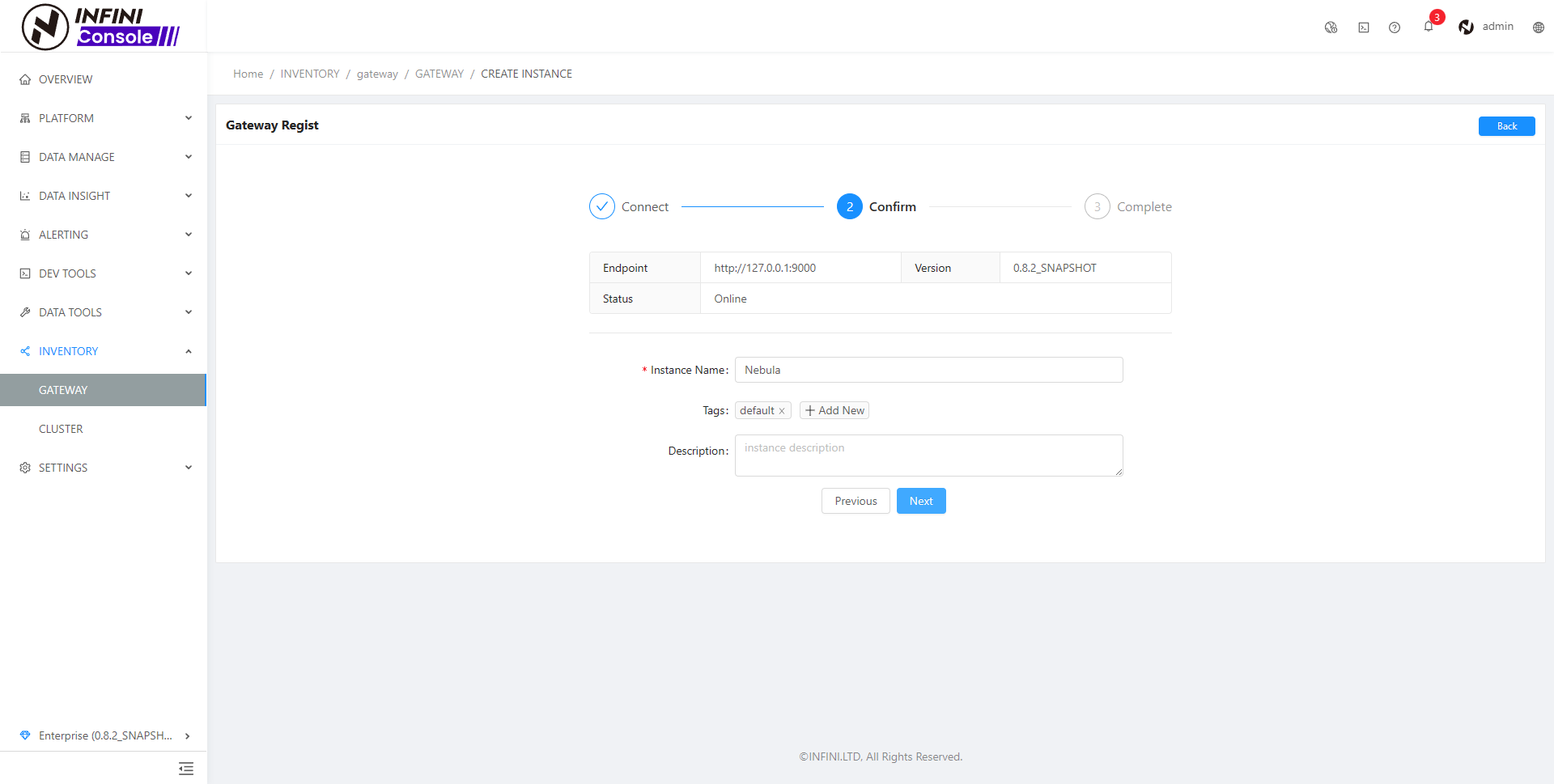
The second step is to confirm the information, and modify the gateway name, tags, and description, as needed.
Update gateway configuration #
Click the Edit button in the gateway list table to input the update interface
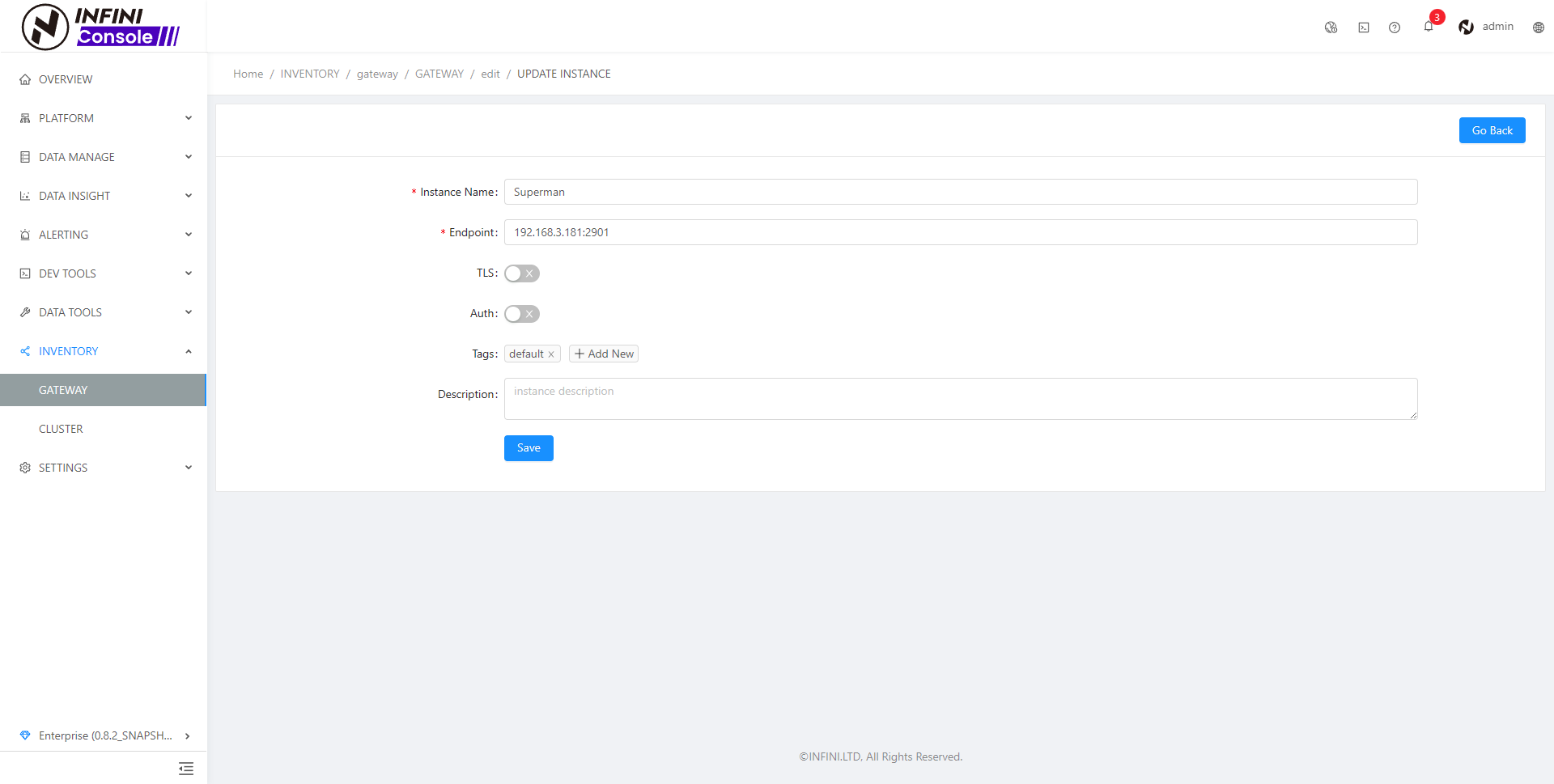
Modify the configuration as needed, then click the save button to submit
Delete gateway #
Click the delete button in the gateway list table to confirm the second time. After confirming the deletion, execute the delete operation.